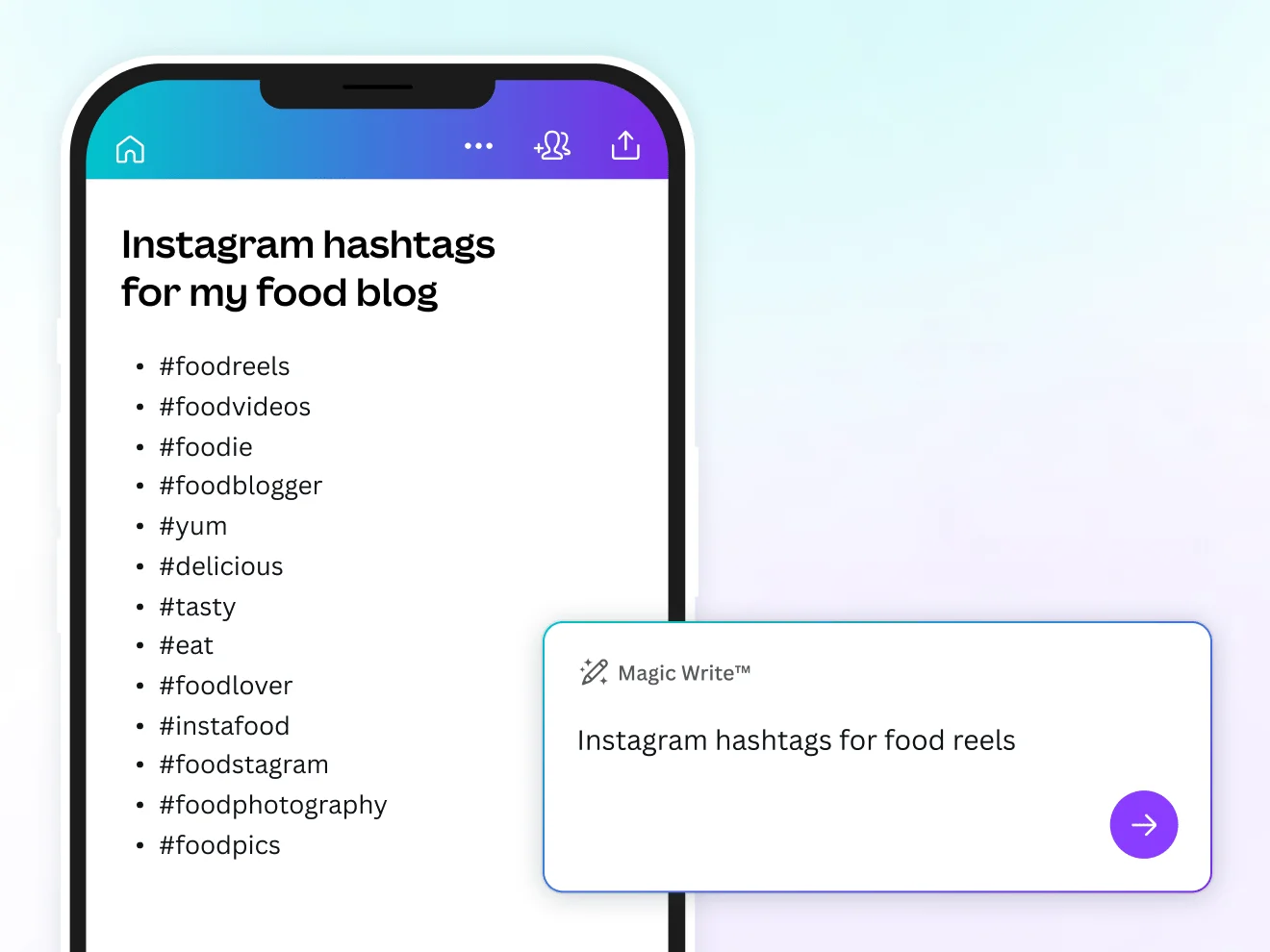
Finding the right Instagram hashtags can take longer than writing the caption itself. You need tags that describe your content, match your audience, and help people discover posts about topics they care about. An Instagram hashtag generator can speed up this process by suggesting relevant keywords and combinations.
However, generating a long list of popular hashtags is not the same as building an effective hashtag strategy. The best tools help you identify relevant terms, research niche topics, and choose tags that accurately describe each post.
This guide compares the best Instagram hashtag generators, including free tools from Buffer, Hootsuite, Inflact, Ahrefs, SISTRIX, and Canva, as well as research platforms such as Flick and RiteTag. You will also learn how to evaluate hashtag suggestions and use them without relying on outdated Instagram advice.
Best Instagram Hashtag Generators at a Glance
| Tool | Best for | Free access | Main advantage |
|---|---|---|---|
| Buffer | Quick hashtag ideas | Free generator | Simple suggestions based on your content description |
| Hootsuite | AI-generated suggestions | Free generator available | Helps brainstorm hashtags from a post description and keywords |
| Inflact | Keyword and visual research | Free access with possible limits | Hashtag suggestions using different input methods |
| Ahrefs | Fast hashtag brainstorming | Free tool | Simple suggestions based on text or other supported inputs |
| SISTRIX | Hashtag research | Free searches with limits | Related hashtag suggestions from its data |
| Canva | Content creators and designers | Availability varies by feature | Combines content creation with AI-assisted brainstorming |
| Flick | Advanced research and tracking | Check current trial and plan options | Research, saved collections, and hashtag performance tracking |
| RiteTag | Suggestions while creating content | Check current access options | Hashtag recommendations for text and images |
Free access does not always mean unlimited use. Some tools restrict daily searches, require an account for certain features, or reserve tracking and reporting for paid plans. Check the official product pages for current conditions.
1. Buffer Hashtag Generator: Best for Quick Ideas
Buffer’s free hashtag generator is a convenient starting point if you need ideas without setting up a full social media management platform. Describe your post or enter a few relevant keywords, and use the suggestions as a starting point for your own research.
For example, a coffee shop promoting a new iced latte could enter a description mentioning specialty coffee, summer drinks, and its local area. The generated suggestions can then be reviewed and narrowed down to the tags that best match the post.
Why use Buffer?
- Quickly brainstorm hashtag ideas from a post description.
- Useful for creators and small businesses.
- Can reduce time spent thinking of related keywords.
- Does not require you to use every suggested tag.
- Easy for beginners.
- Good for rapid brainstorming.
- Useful for a variety of industries.
- Suggestions still need manual review.
- Does not replace detailed performance analysis.
- Relevance depends on the input description.
Best for: Creators and businesses that need a quick, free way to generate relevant hashtags before publishing.
2. Hootsuite Hashtag Generator: Best for AI Brainstorming
Hootsuite provides a free AI hashtag generation tool alongside its broader social media management products. It can help turn a description of a photo, video, or campaign into a list of possible hashtags.
It is particularly useful when you already know what your post is about but are struggling to identify related topics or alternate wording. A post about a skincare routine, for example, might inspire ideas around the product category, routine type, and audience interest.
Features to consider
- Generate ideas from a post description and keywords.
- Brainstorm hashtags for different content topics.
- Use suggestions as a starting point for campaign planning.
- Explore broader social media management features if your needs grow.
- Useful for content brainstorming.
- Can help discover alternate keywords.
- Accessible without purchasing a full platform plan for the generator.
- AI suggestions can be generic.
- Generated tags are not a guarantee of reach.
- Advanced management features may require a subscription.
Best for: Marketers who want to generate hashtag ideas quickly and already work with structured social media campaigns.
3. Inflact: Best for Keyword and Visual Research
Inflact’s Instagram hashtag generator is a research-oriented option that offers different ways to find related hashtags. Depending on the current tool features, you may be able to work from a keyword, content description, image, or post URL.
Different input methods can be useful for different workflows. A keyword search works well when you know the topic in advance, while image-based suggestions can help when a photo contains several relevant subjects.
When Inflact is useful
- You want suggestions related to a specific Instagram topic.
- You create visual content and want related keyword ideas.
- You need to explore alternatives to very broad hashtags.
- You want to investigate a topic before planning a campaign.
- Offers multiple research approaches.
- Useful for visual and keyword-based brainstorming.
- Can help expand a narrow starting keyword.
- Some features may require payment.
- Generated suggestions can include overly broad tags.
- Input and account requirements may change.
Best for: Creators and marketers who want more ways to research hashtags than a basic text generator provides.
4. Ahrefs Hashtag Generator: Best for Simple Brainstorming
Ahrefs’ hashtag generator offers a simple way to brainstorm tags for social content. It is worth considering if you want a lightweight tool rather than a full social media analytics subscription.
Although Ahrefs is widely associated with SEO software, a hashtag generator serves a different purpose from keyword research for search engines. A hashtag can help describe a social post, but its popularity does not automatically indicate that it will bring website traffic or conversions.
What it does well
- Provides a quick source of hashtag ideas.
- Can help brainstorm related phrases for a topic.
- Works as part of a simple content preparation workflow.
Best for: Bloggers, marketers, and creators who want quick hashtag ideas without needing advanced tracking features.
5. SISTRIX Hashtag Generator: Best for Related-Hashtag Research
SISTRIX’s Instagram hashtag generator is useful for exploring related terms rather than simply asking an AI tool to invent suggestions. Its research approach can help you find hashtags associated with a topic and broaden your understanding of the language used around it.
For example, someone posting about home workouts could start with a general term and explore related tags for strength training, equipment, workout routines, or a specific training goal. The final selection should reflect the actual post, not every related term returned by the tool.
Advantages and limitations
- Useful for finding related hashtags.
- Can help you expand a research list before choosing final tags.
- Free queries may be subject to daily limits or other access conditions.
- Suggested relationships do not guarantee current popularity or engagement.
Best for: People who want to explore hashtag relationships and compare possible terms before publishing.
6. Canva: Best for Creators Who Design Their Own Posts
Canva is primarily a content design platform, but its AI-assisted writing features can also help creators brainstorm caption and hashtag ideas where available.
This can be convenient if your workflow already includes designing Instagram carousels, promotional graphics, product images, or other visual assets in Canva. You can prepare the creative and work on the accompanying text within the same general workflow.
Why consider Canva?
- Useful for businesses that design posts in-house.
- Can help brainstorm captions and related keywords through supported AI features.
- Reduces the need to switch between several content tools.
AI availability and free usage limits vary by feature and plan. Confirm the current Canva offering before relying on a particular generator.
Best for: Small businesses and creators who already use Canva to produce Instagram graphics and want to streamline content preparation.
7. Flick: Best for Hashtag Research and Tracking
Flick is more than a basic hashtag suggestion tool. Its broader platform has offered hashtag research, saved collections, analytics, and tracking features designed for creators and marketers who manage Instagram content regularly.
The main advantage of a research platform is that it can support a repeatable workflow. Instead of generating new hashtags for every post, you can organize relevant groups for recurring content themes and review performance over time where tracking is supported.
When Flick makes sense
- You publish frequently and need a more organized research process.
- You manage multiple content themes or client accounts.
- You want to save hashtag groups for future campaigns.
- You want tracking features beyond a simple generator.
Flick’s access options and pricing can change, so check whether the current offering is a free trial or a permanent free plan before signing up.
Best for: Professional creators, social media managers, and agencies that need a more structured hashtag workflow.
8. RiteTag: Best for Contextual Suggestions
RiteTag is a hashtag suggestion tool associated with the RiteKit product suite. It has offered recommendations based on text and images, with integrations intended to make suggestions available while creating content.
This kind of workflow can be useful when you want to research hashtags while drafting a caption rather than opening a separate tool for every post.
What to evaluate
- Whether the current version supports your preferred content workflow.
- How suggestions are categorized and whether the methodology is explained.
- Whether the tool provides useful Instagram-specific information.
- Whether the cost is justified by how often you publish.
Best for: Frequent content creators who want suggestions integrated into their writing workflow and are comfortable checking paid options.
9. Free vs. Paid Hashtag Generators: Which Should You Choose?
A free hashtag generator is often enough if you publish occasionally or only manage one Instagram account. Paid research tools can make sense when you need reusable collections, campaign tracking, or a workflow shared across several accounts.
| Your situation | Recommended starting point | Why |
|---|---|---|
| You post a few times a week | Buffer or Ahrefs | Quick suggestions without a complex workflow |
| You need related hashtag ideas | SISTRIX or Inflact | Explore terms associated with your topic |
| You want help writing content | Hootsuite or Buffer | Generate ideas from a post description |
| You create graphics and carousels | Canva | Combine content design with writing assistance |
| You publish frequently and track results | Flick or another research platform | Consider saved collections and performance features |
| You manage several client accounts | Compare paid research platforms | Look for collaboration, reporting, and account support |
Do not pay for advanced analytics until you know what you want to measure. If all you need is five relevant hashtags for a post, a free generator and a few minutes of manual research may be sufficient.
10. Interactive Instagram Hashtag Idea Generator
Use this lightweight generator to create a starting set of hashtag ideas from your topic and content category. It combines your topic with built-in keyword patterns; it does not query Instagram or verify live hashtag popularity. Review every suggestion before using it.
Enter a topic and select a category to begin.
Important: This interactive generator uses local templates and your topic text to create ideas. It does not access Instagram data, measure hashtag competition, or confirm that a hashtag is trending. Use the research tools above to investigate current relevance.
11. How to Use an Instagram Hashtag Generator Step by Step
Step 1: Define the topic of your post
Start with the subject of the actual content. Be specific about what appears in the photo or video and what the caption communicates.
For example, “fitness” is broad. “A 20-minute dumbbell workout for beginners” gives a generator a clearer direction and makes it easier to identify related terms.
Step 2: Generate a list of relevant ideas
Enter your topic or caption into one of the tools. Generate a wider list for research purposes, but do not automatically copy every result into your Instagram post.
Step 3: Remove irrelevant hashtags
Read each suggestion and ask whether it accurately describes the content. A hashtag that is popular but unrelated to the post can attract the wrong audience and make your content look spammy.
Step 4: Research the shortlisted tags
Search for each candidate in Instagram and review the content associated with it. Look for:
- Whether the hashtag is relevant to your topic.
- Whether recent posts reflect the audience you want to reach.
- Whether the results are dominated by unrelated content.
- Whether the tag appears restricted or unavailable.
- Whether a more specific phrase describes your content better.
Step 5: Select up to five appropriate hashtags
Choose the strongest matches rather than trying to fill a quota with generic terms. A practical selection might include a niche topic, a specific content subject, an audience or community term, and a branded or location-based tag when relevant.
Step 6: Review performance over time
Track the results of comparable posts. Use Instagram Insights where available to examine reach, interactions, saves, shares, and other relevant metrics. Do not assume a post performed well because of hashtags alone; the creative, caption, audience, and timing may also affect results.
12. How Many Hashtags Should You Use on Instagram?
Instagram has introduced a five-hashtag limit for posts and Reels. Older guides that recommend adding 20 or 30 hashtags may therefore be outdated for current publishing.
Rather than treating the maximum as a target, select hashtags based on relevance. You may use fewer than five if only a few terms genuinely describe your post.
- One tag for the main subject.
- One tag for a specific niche or subtopic.
- One tag for the intended audience or community.
- One tag for a relevant format, product, or use case.
- One branded or location-based tag, if appropriate.
13. Broad Hashtags vs. Niche Hashtags
Broad hashtags describe a large topic, while niche hashtags identify a more specific subject, audience, product, or community.
| Industry | Broad example | More specific example |
|---|---|---|
| Fitness | #Fitness | #BeginnerStrengthTraining |
| Food | #Food | #HomemadeSourdough |
| Beauty | #Beauty | #CurlyHairRoutine |
| Travel | #Travel | #WeekendInCusco |
| Marketing | #Marketing | #SmallBusinessEmailMarketing |
| Photography | #Photography | #StreetPhotographyTips |
These are illustrative examples, not verified trending hashtags. Check spelling, current usage, and relevance on Instagram before publishing. A specific hashtag is not automatically better simply because it is longer or less popular.
14. Common Hashtag Generator Mistakes to Avoid
- Using every generated suggestion. Generated lists are research inputs, not ready-made captions.
- Choosing tags only because they are popular. A large hashtag may be less relevant to your intended audience.
- Using unrelated trending terms. A trend should match the content and the audience.
- Ignoring Instagram’s current limit. Older tools and articles may still return lists designed for the previous 30-hashtag limit.
- Repeating the same tags automatically. Review the set for each post rather than relying on an unchanged block of generic tags.
- Assuming a generator predicts reach. Suggestions do not guarantee impressions, followers, engagement, or sales.
- Ignoring the content itself. A clear opening, useful information, strong visuals, and an engaging video remain important.
- Giving a third-party tool your Instagram password. Prefer tools that do not request unnecessary credentials. Review permissions before connecting an account to any service.
15. Frequently Asked Questions
What is the best free Instagram hashtag generator?
Buffer, Hootsuite, Ahrefs, and SISTRIX are useful places to start. The best option depends on whether you need quick AI suggestions, related hashtag research, or more detailed tracking. Check current usage limits before choosing a tool.
Are Instagram hashtag generators free?
Some are free, while others offer limited free access, trials, or paid research features. A generator may be free even when its provider’s wider social media management platform requires a subscription.
How many hashtags can I use on an Instagram post?
Instagram has introduced a five-hashtag limit for posts and Reels. Because platform rules can change, check Instagram’s current guidance if you are planning a publishing workflow.
Do hashtags still help Instagram posts get discovered?
Hashtags can help describe and categorize content, but they are not a guarantee of discovery or reach. Content relevance, viewer response, and other ranking signals also matter.
Should I use popular or niche hashtags?
Choose tags that accurately describe the post and fit the audience you want to reach. A mix of specific subject terms, niche topics, and relevant branded or location-based hashtags can be useful, but relevance matters more than blindly following a fixed formula.
Can AI generate hashtags for any industry?
AI tools can brainstorm suggestions for many topics, including food, travel, fitness, fashion, business, and photography. However, the output can be generic or inaccurate, so review each tag before using it.
Do hashtag generators find trending hashtags in real time?
Not necessarily. Some tools generate ideas from text, while others use databases or research features. Unless a tool explicitly documents live trend data, do not assume its suggestions reflect current Instagram activity.
Should I put hashtags in the caption or first comment?
Putting relevant hashtags in the caption is a straightforward option. There is no need to hide a long block of tags, especially under the current five-hashtag limit. Focus on clear captions and relevant tags rather than placement tricks.
Can I use the same hashtags on every post?
You can reuse a branded hashtag or terms that remain relevant, but review the complete selection for each post. Different subjects may require different tags, and repeating unrelated terms can make your captions less precise.
Do hashtag generators guarantee more followers?
No. These tools suggest keywords; they cannot guarantee more followers, engagement, or sales. Treat them as one part of a wider Instagram strategy that includes useful content, consistent publishing, and audience interaction.
Conclusion: Which Instagram Hashtag Generator Should You Use?
The best Instagram hashtag generator depends on how much research you need and how often you publish.
- Choose Buffer for quick, straightforward hashtag brainstorming.
- Choose Hootsuite for AI-assisted ideas from a post description.
- Choose Inflact if you want to explore keyword and visual research options.
- Choose Ahrefs for lightweight hashtag brainstorming.
- Choose SISTRIX to investigate related hashtags.
- Choose Canva if you already create your Instagram visuals there.
- Consider Flick or RiteTag if you publish frequently and need a more structured research workflow.
Regardless of which tool you select, the goal is not to collect the largest list of hashtags. It is to identify a few accurate terms that describe your content and help the right audience understand what your post is about. Research the suggestions, follow Instagram’s current rules, and use performance data to improve your strategy over time.